Talk to anyone, in their language
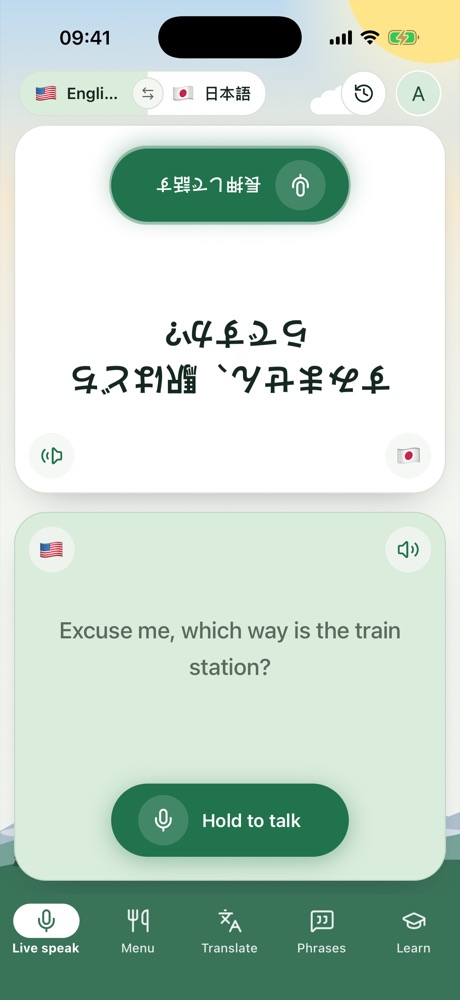
Word Trip is the travel translator for talking with locals, ordering food and finding your way. Hold to talk: they hear you in their language, and their answer comes back in yours.
App StoreGoogle Play
Coming soon for iPhone, iPad and Android.
Menu
Read any menu, in any language
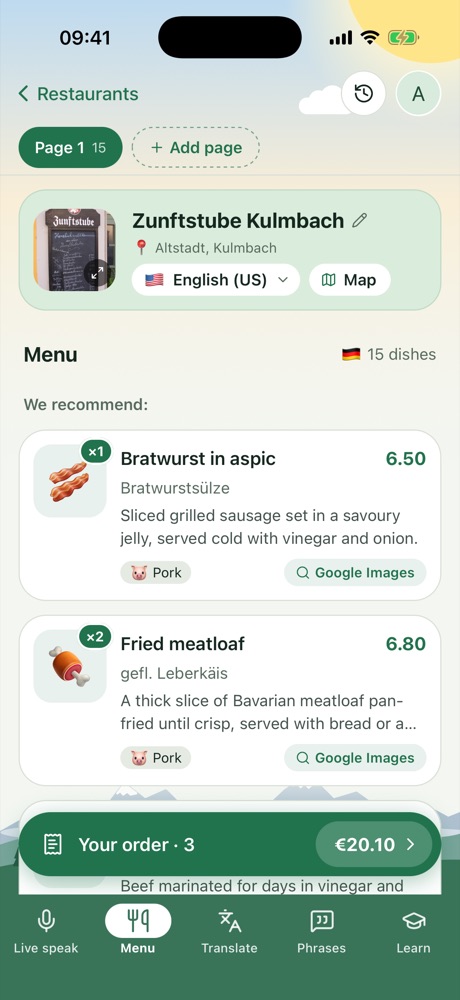
Snap a menu: every dish, its price and what it is. Spot pork, seafood, nuts, alcohol and vegetarian dishes at a glance.
Ordering
Order with ease, just show the screen
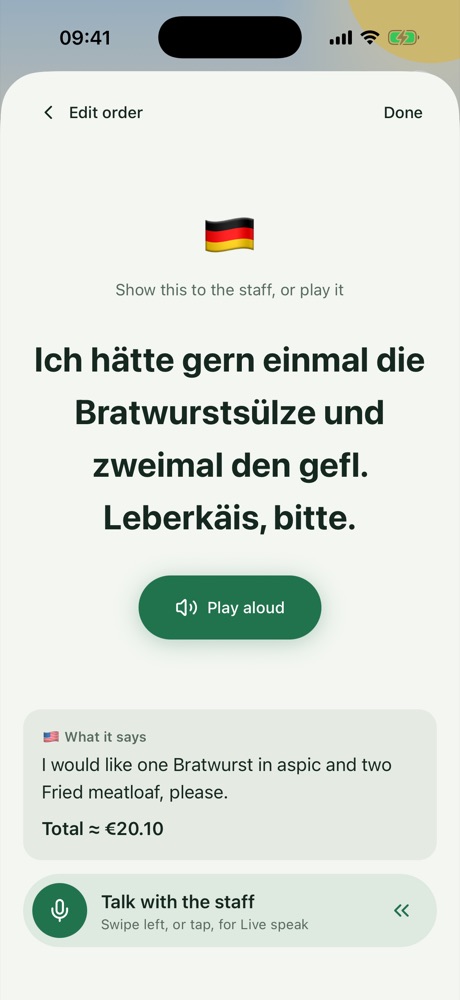
Build your order, add notes like “not spicy”, then show it to the staff in their language or play it aloud.
Translate
Snap a sign, read it instantly
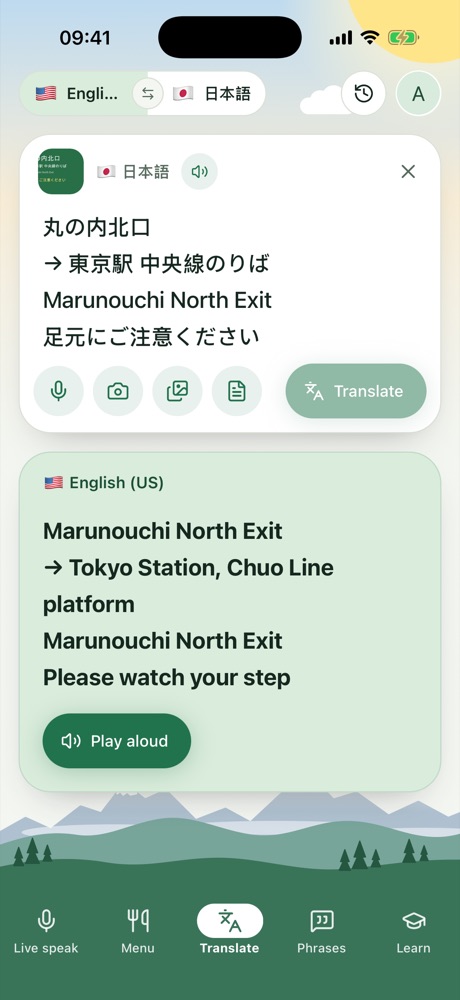
Type or speak, take a photo of a sign or label, or open a PDF like a booking or house rules.
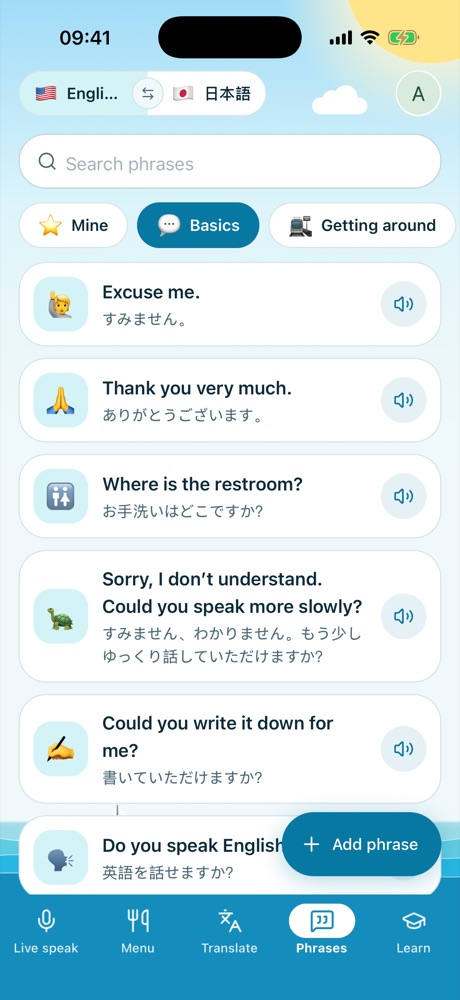
Phrases
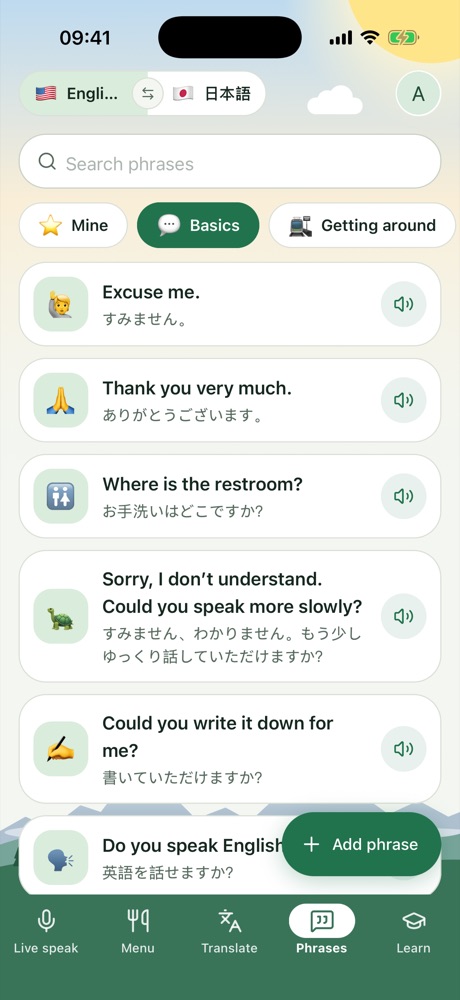
Ready-made phrases, for every situation
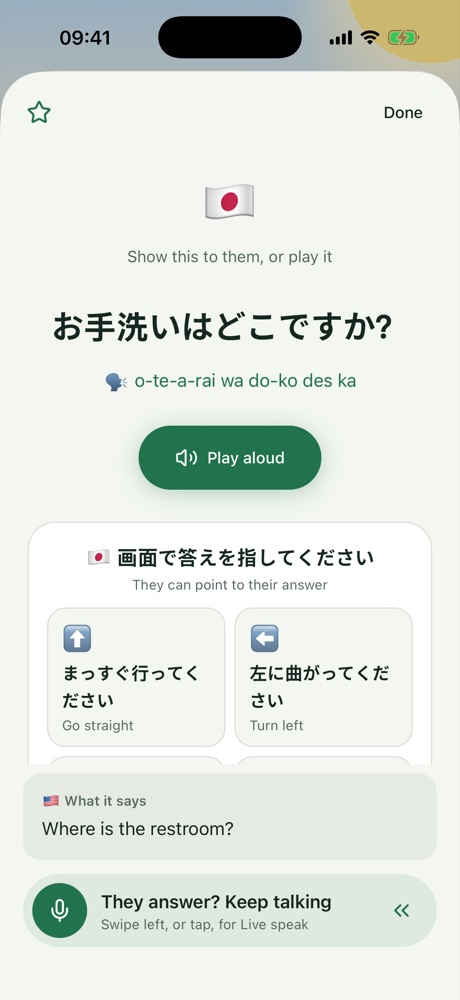
Getting around, eating out, shopping and emergencies. Show one big and let them point, with pronunciation so you can say it too.
Learn
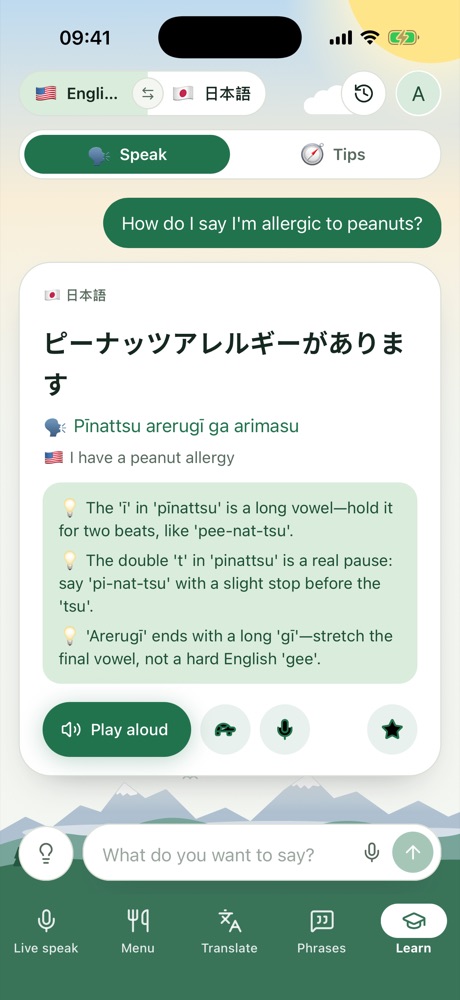
Practice speaking before you go
Ask in your own words and get the phrase, how to say it, and tips for using it.
Tips
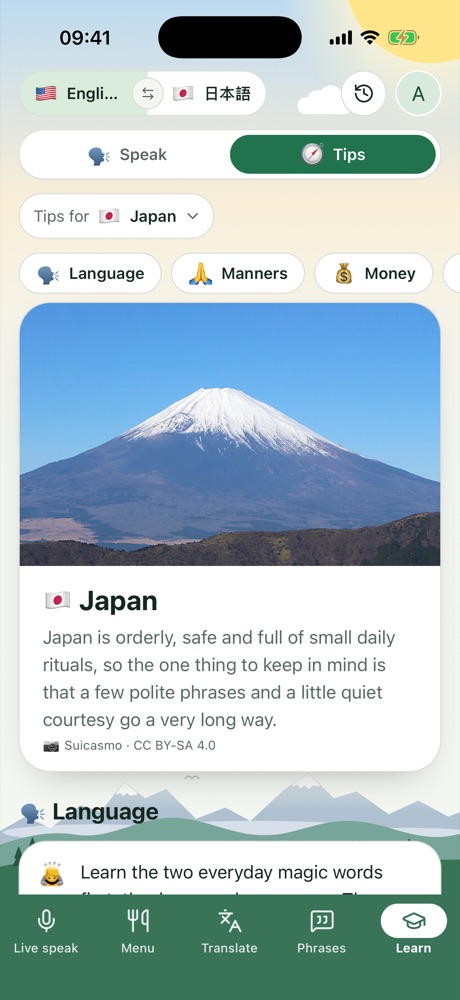
Know before you go
Manners, money, getting around and places to see, for wherever you’re headed.
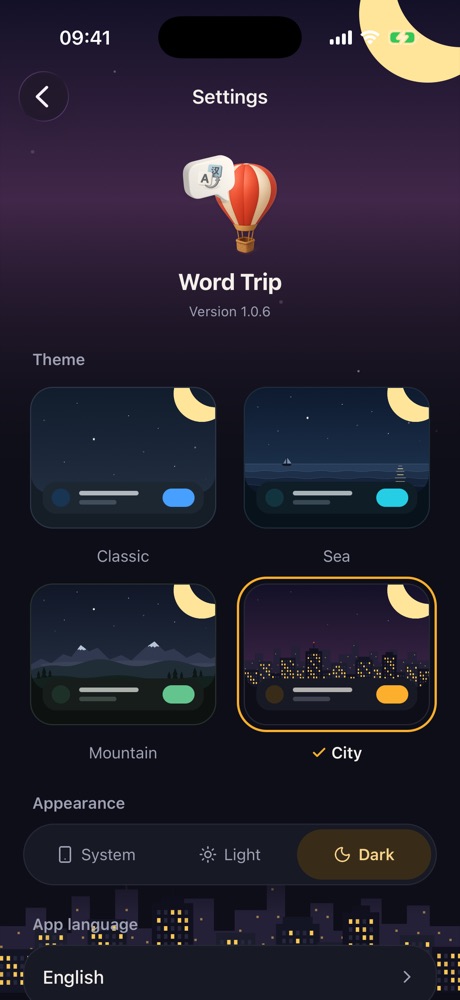
Themes
A look for every trip, day and night
Pick from 4 themes: Classic, Sea, Mountain and City, in light or dark.
Pack Word Trip for your next trip
Free to download. No ads.
App StoreGoogle Play
Privacy Policy
Effective 25 October 2026
This policy explains what the Word Trip app ("Word Trip", "we", "us") collects, why, and the choices you have. By using Word Trip you agree to this policy.
What we collect
- Account details: your email address, name and profile photo if you add them, or the details your Apple, Google or GitHub sign-in shares with us.
- What you translate: text you type or speak, photos you scan or pick (menus, signs, written text), PDFs you upload, and the translations, menus, orders and phrases you keep.
- Location: only when you choose to pin a place on the map, and only while you use that feature. We do not track your location in the background.
- Purchases: if you subscribe, your subscription status and an anonymous purchase ID. Payment is handled by Apple or Google; we never see your card details.
- Usage and diagnostics: basic, anonymous data such as app version, device type and crash information, used to keep the app working.
Permissions
- Microphone and speech recognition: to let you speak instead of typing. Speech is turned into text by your phone's own speech recognizer (Apple or Google), under their privacy terms.
- Camera: to scan menus and signs and take a profile photo.
- Location: to pin a restaurant where you are.
- Photos: picked in your phone's own window; the app only sees the photos you choose.
You can turn any permission off in your phone's settings at any time.
How we use it
- To translate, read and explain what you give the app, and to show you your history.
- To keep you signed in and your data in sync across your devices.
- To provide subscriptions and restore purchases.
- To fix problems and improve the app.
We do not sell your personal data, and we do not show ads.
Who we share it with
We use trusted service providers who process data only to run Word Trip:
- Clerk – sign-in and accounts
- Convex – database and file storage
- DeepInfra – AI models that translate text and read photos and PDFs
- Mapbox – maps and place search
- RevenueCat, Apple and Google – purchases and subscriptions
- Expo – app updates and anonymous usage statistics
We may also disclose data if the law requires it.
How long we keep it
- Some translation history is deleted automatically after 3 days.
- Menus, orders, phrases and other items you keep stay until you delete them or delete your account.
- When you delete your account, everything linked to it is deleted for good.
Your choices
You can view and delete your items in the app, and delete your account at any time (see Delete account). You may also ask us for a copy of your data, or to correct or delete it, by emailing us.
Children
Word Trip is not directed at children under 13, and we do not knowingly collect their personal data. If you believe a child has given us data, contact us and we will delete it.
Security
Data is sent over encrypted connections and stored with our providers. No system is perfectly secure, but we work to protect your data.
Changes
We may update this policy. We will change the date above, and tell you in the app if the change is significant.
Contact
support@appsetup.dev
Terms & Conditions
Effective 25 October 2026
These terms govern your use of the Word Trip app. By using Word Trip you agree to them. If you do not agree, please do not use the app.
Using Word Trip
You must be at least 13 years old to use Word Trip. You are responsible for your account and for keeping your sign-in details safe. Please use the app lawfully and do not misuse, disrupt or try to reverse-engineer it.
Translations are a guide
Translations, readings, menu explanations, tips and lessons are produced automatically, partly by AI, and can be wrong or incomplete. Do not rely on them for medical, allergy, legal, safety or other important decisions. Always check with a person when it matters.
Your content
You keep ownership of what you put into Word Trip. You give us permission to process it only to provide the app to you, as described in our Privacy Policy. Do not upload content you have no right to use.
Subscriptions
Some features may need a paid subscription. Payment is charged to your Apple or Google account. Subscriptions renew automatically unless cancelled at least 24 hours before the end of the current period, and you can manage or cancel them in your App Store or Google Play account settings. Refunds are handled by Apple or Google under their policies. Prices may change; we will tell you before a change applies to you.
Third-party services
Word Trip uses services such as maps, place search and Wikipedia photos. Their content belongs to their owners and is governed by their own terms.
Availability and changes
We may change, suspend or stop any part of Word Trip at any time. We may suspend accounts that break these terms.
Disclaimer and liability
Word Trip is provided "as is" without warranties of any kind. To the fullest extent the law allows, we are not liable for any indirect or consequential loss, or for loss caused by relying on a translation. Nothing in these terms limits rights you have under consumer law.
Changes to these terms
We may update these terms. We will change the date above; continuing to use the app means you accept the new terms.
Contact
support@appsetup.dev
Delete your Word Trip account
You can delete your account and all its data at any time.
In the app
- Open Word Trip and sign in.
- Tap your profile picture, then Profile.
- Tap Delete account at the bottom, then confirm.
By email
If you can't use the app, email support@appsetup.dev from the email address of your account with the subject "Delete my Word Trip account". We will delete it within 30 days and confirm by email.
What gets deleted
- Your account: email, name and profile photo
- Your translations, history and quick phrases
- Your menus and their photos, and your orders
- Your scanned and written translations and their photos
Deletion is permanent and cannot be undone. Anonymous diagnostics that cannot identify you may be kept.
Subscriptions
Deleting your account does not cancel a subscription. Cancel it in your App Store or Google Play account settings first.